Building a website is still harder than it should be, but when you’re running a small business, you don’t have time for trial and error. The right website builder can take you from idea to launch in hours, not weeks. No more wrestling with FTP servers or wrestling through plugin incompatibilities: simply pick your layout, drag in your content, tweak your colors and branding, and hit publish.
There are dozens of tools billed as “website builders,” but many of them fall short when your livelihood depends on it. Some are slow, some limit scalability, and some skimp on business features. I’ve combed through the options to find the builders that really deliver for small businesses in 2026, no fluff, no surprise limitations. This is your streamlined shortlist.
Best Website Builder for Small business 2026
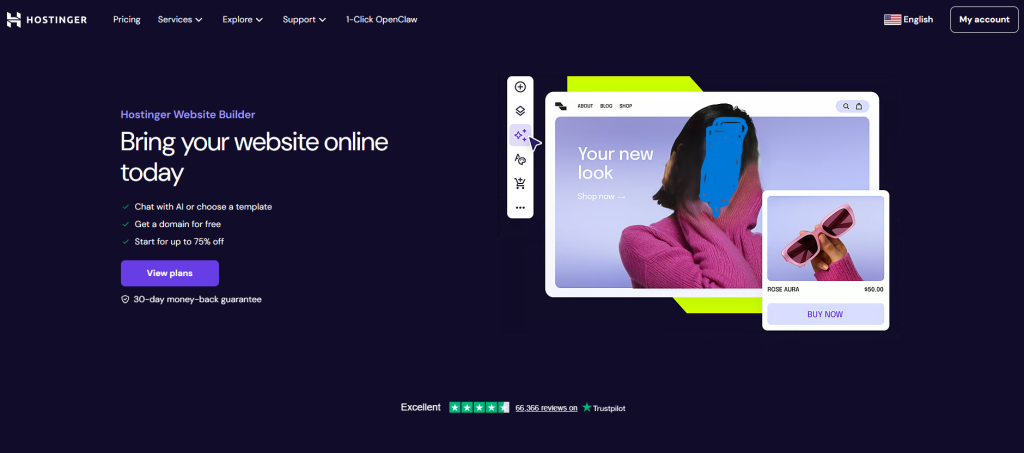
1. Hostinger AI Website Builder: Best All‑in‑One Builder for Small Business

💰 Starting price: as low as ~$2.99/month for the entry plan (when billed over a long term)
🤖 AI website builder: Yes—includes AI site‑generator, AI text & image tools, and built‑in hosting/SSL/domain.
🔧 Ideal for: Small businesses who want to get online fast, with minimal fuss, and keep everything (hosting + builder + domain) in one place.
When you’re running a small business and you don’t want to juggle multiple accounts or tech vendors, Hostinger AI Website Builder simplifies things. With one platform you get hosting, SSL, domain support, and an AI‑driven site builder that walks you through creating your site by answering just a few prompts.
You can pick your industry, describe your style and brand, let the AI generate the website skeleton (layouts, images, placeholders), then in the drag‑and‑drop editor, you tweak content, replace images, adjust branding, and publish. The hosting and infrastructure side is handled.
✔️ Pros
- Very low entry cost: Among the most affordable full‑builder solutions out there, starting rates much lower than many competitors.
- Integrated everything: Hosting + SSL + domain + builder in one package reduces complexity for small business owners.
- AI tools built‑in: The site‑generator, image tools, text writer and other AI features help you launch quickly.
- Beginner friendly: The interface, the templates, the guided AI prompts make this suitable for non‑tech users.
❌ Cons / Things to Watch
- Introductory price vs renewal: The very low “starting” rate often comes with long‑term commitment; renewal prices may be higher.
- Limited advanced features: For very large online stores, complex customization, or extensive app ecosystems, it may be less capable than more expensive platforms.
- Template / theme switching may be limited: As with many builders, once you pick a template and build, you may find it tricky to drastically change the layout without rework.
- AI tools still maturing: Some AI‑generated content or images may need manual refinement (editing tone, fixing weird image artefacts).
How Much Does It Cost for Small Business (2026)
- Entry plans: From around $2.99/month for long‑term commitments.
- For more features (AI advanced tools, e‑commerce support) expect higher tiers (~$3.99/month or higher) for similar commitment.
- Important to note: the low rates often assume multi‑year subscriptions; shorter terms or renewals may cost more.
- Because you’re getting hosting + domain + builder + AI tools all in one, the bundled value is strong for small business.
Bottom Line for Small Businesses in 2026
If you’re a small business owner who wants to launch a website quickly, keep overhead low, and avoid dealing with separate hosting/domain/service providers, Hostinger AI Website Builder is a very strong choice. It gives you one‑stop setup, an AI‑friendly build process, and solid value.
However — if your business already anticipates needing very deep custom design, large‑scale ecommerce, complex integrations or frequent redesigns, then you may benefit from choosing a builder/platform with greater flexibility (and possibly higher cost). But for many small business websites (showcase, services, modest store) Hostinger hits the sweet spot.
2. Hosting.com AI SiteBuilder: Best Beginners Builder for Small Business

💰 Starting price: from $4.99/month (annual plan)
🤖 AI website builder: Yes
📚 Good to know: Ideal for getting a simple business site online fast
When you’re running a small business and just want to get online without the tech headache, Hosting.com AI SiteBuilder is a strong pick. Rather than juggling hosting, domains, themes and plugins, you’re handed a unified tool that lets you:
- Answer a few simple questions (industry, style, brand) and let the AI build a base site for you.
- Use a drag‑and‑drop editor to customise the look, content and layout — no coding required.
- Enjoy hosting, SSL and a dashboard built in, so you’re not mixing separate services.
✔️ Pros
- Very beginner‑friendly: One reviewer found the editor “very easy and intuitive” for small sites.
- Good value for money for simple business websites: cheap starting point, hosting bundled.
- Strong support and reliability: The parent hosting service earns praise for its ease of use and customer service.
❌ Cons
- Limited scope for large or complex sites: One review suggests it’s best for websites with “six pages or less”.
- Fewer template choices and integrations compared to more established full‑scale builders.
- As with many builders, if you need deep customisation or advanced e‑commerce features, you may hit limits.
Bottom Line: Should You Use It?
If you’re a small business owner who wants to launch a website quickly, look professional from day one, and skip the complex tech, Hosting.com AI SiteBuilder delivers. It’s built for beginners, and for typical small‑business websites (showcase, services, contact, maybe a small store) it’s more than capable.
However, if you plan to build a very large site, need custom integrations, or expect to redesign frequently and heavily, you might want a tool with more flexibility.
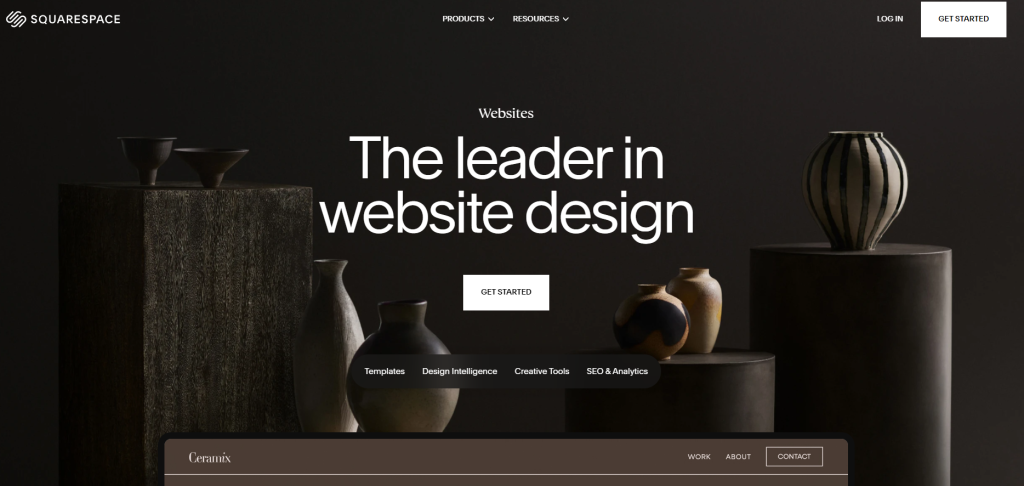
3. Squarespace: Best for Beautiful Professional Templates

💰 Starting price: from around $16/month (billed annually)
🎨 Template‑quality: Strong emphasis on design‑first, high‑end visuals
🔧 Target user: Small business or creative owner who wants a polished, stylish site with minimal compromise
When you’re running a business that depends on visual appeal and branding — a boutique, a design studio, a cafe with atmosphere — you want your website to look the part. Squarespace answers that call. Instead of a generic builder where design comes second, you’re handed one where the templates are the star. One review describes the templates as “modern, elegant, and dynamic — at the end of the day, they’re just more stylish than what the competition serves up.”
The workflow is clear: Choose from one of Squarespace’s designer‑crafted templates (there are 150+ in its library), swap in your logo, images and copy, tweak colors/typography, and publish. Hosting, SSL, domain (first year) and site‑security are bundled in.
Pros for Small Businesses
✔️ High‑quality design & templates — Your site can look premium without hiring a full‑time designer.
✔️ Ease of setup — Especially useful if you’re not a developer; you can get online rapidly.
✔️ Scalable plans — You can start modest, then upgrade as your business grows (sales, team, content).
✔️ All‑in‑one platform — Hosting, domain (first year), SSL, builder and templates combined; reduces complexity.
✔️ Professional branding tools — Ability to incorporate brand assets, style, visuals; good for businesses where look matters.
Cons/Things to Watch
❌ Cost can add up—The lowest plan works for a basic site, but if you need strong e‑commerce, team access, custom code, you’ll likely move into Core or Plus, which cost more.
❌ Template lock‑in / design limits — While templates are excellent, there’s less “absolute freedom” compared to building from scratch or with more open platforms; if you switch templates you may run into re‑work.
❌ Transaction/processing fees and add‑ons — Depending on your sales volume, the fees (payment processing, digital‑product fees) may eat into revenue unless you’re on higher tiers. (Squarespace Help)
❌ Heavy reliance on imagery and branding — Because the templates lean visually strong, if your business lacks good imagery or brand assets, you might end up with something “okay” rather than “wow”.
❌ Less suited for super‑custom & large scale commerce — If your business model involves very large product catalogs, custom integrations, advanced shipping logic etc., other platforms may edge ahead.
Pricing Overview (2026)
- Plans start at $16/month when billed annually for the Basic tier.
- Monthly‑billing rates are higher (for example the Basic plan is about $25/month if paid monthly).
- The new 2026 plan structure uses four tiers: Basic, Core, Plus, Advanced.
- For small business use the two most relevant tiers are:
- Core: Around ~$23/month (annual billing) (or ~$36/month if monthly) for growing small business functionality.
- Plus: ~$39/month (annual billing) or ~$56/month monthly — for more advanced commerce & team features.
- Additional costs to consider: domain renewal after the first free year, email inboxes (Google Workspace), payment‑processing fees, possible add‑ons for marketing or memberships.
What Small Businesses Get — Why It Works
For a small business in 2026, Squarespace offers:
- A professional, designer‑first template library, enabling your website to look polished and branded‑right‑away.
- All‑in‑one hosting, SSL, updates and infrastructure managed for you — you don’t need to worry about servers or plugins.
- A path to grow: if you’re just starting with a simple site you can use the Basic or Core plan; if you expand into e‑commerce, memberships or a team, you can step up to Plus.
- Analytics, marketing integrations, mobile responsive design are baked in — giving you more than just “a site”, but a business‑website tool.
- For small business owners who want less tech‑stress and more visual and brand control, this is a strong fit.
Bottom Line: Should You Use Squarespace?
If your small business must look professional, curated and visually consistent, and you want a website that feels premium without hiring a full‑time designer, Squarespace is a very strong choice. It supports you in making a site that feels branded, polished and design‑forward.
However — if you’re on a tight budget, need ultra‑deep customization, or plan to rebuild/redesign frequently, you might want to weigh whether the premium cost and some builder limitations are worth it for you.
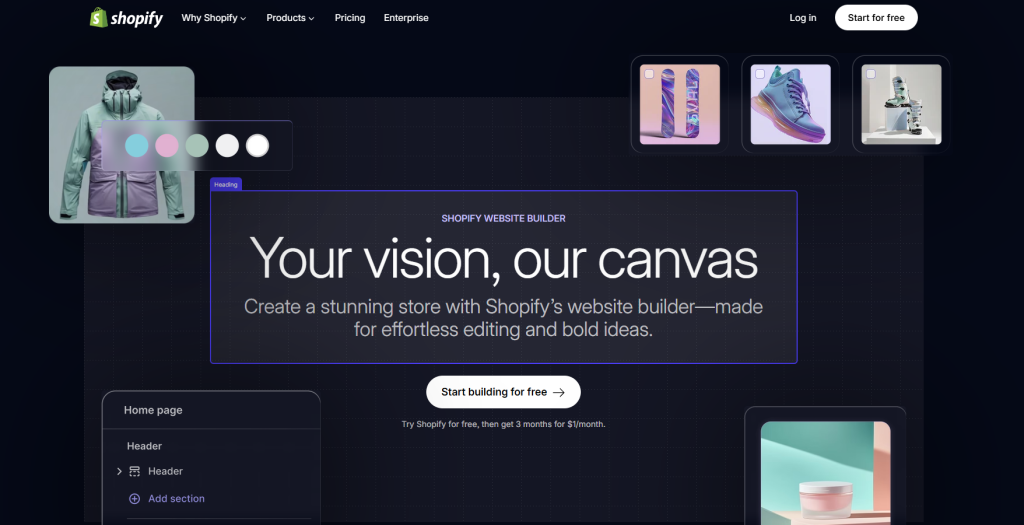
4. Shopify: Best E‑commerce for Small Business

💰 Starting price: from $29/month (annually billed) for full store plans.
📦 Unlimited products: Yes — even the entry plan supports unlimited product listings.
🎯 Target: Small business owners who want serious online sales capability, growth potential and a full‑fledged store.
When your small business is about more than just a simple website — when you’re selling products, managing inventory, shipping orders, tracking customers — Shopify stands out. It’s not just a builder, it’s a full e‑commerce platform built to scale. One reviewer put it this way: “Shopify is the best ecommerce website builder on the market… thanks to unbeatable sales features and large app marketplace.”
You’ll pick a theme, connect your products, set up payment gateways (with their built in Shop Pay or other options), and you’re off. Everything from storefront to checkout to analytics is handled. No juggling hosting + plugins + cart system if you choose well.
✔️ Pros
- Robust e‑commerce tools built‑in: inventory management, multi‑channel selling (social, marketplaces), promotions, analytics — Shopify delivers more than most “website builders”.
- Scalable: You can start small and grow into higher plans without switching platforms. As your business expands, Shopify keeps up.
- Everything important included: hosting, SSL, store setup, product listings — less “hidden dependencies” than some DIY setups.
- Large app ecosystem: Need a special function? Shopify’s app store supports it.
❌ Cons / Things to Watch
- Costs add up: The base price is fine, but with apps, premium themes, and add‑ons your monthly total can climb. One source says: “pricing structure can be costly for smaller businesses or startups… especially when factoring in additional fees and paid apps.”
- Entry plan may have limitations: Some features (staff accounts, advanced reports, international storefronts) are locked behind higher tiers.
- Transaction fees if you don’t use Shopify’s payment gateway: Using third‑party payment providers may incur extra charges.
- Learning curve for full features: If you only need a simple 4‑page site, Shopify may be more platform than you need, and its interface is more complex than purely “drag‑&‑drop website builder” tools.
Pricing Overview for Small Business (2026)
- Plans start around $29/month (when billed annually) for the “Basic” storefront plan.
- Monthly billing (rather than annual) costs more.
- Additional costs to consider: premium themes, apps, higher‑volume shipping/fulfilment, and transaction fees if not using Shopify Payments.
- For many small businesses, starting on the “Basic” then upgrading when you hit bottlenecks is a common strategy.
Bottom Line for Small Businesses in 2026
If you’re a small business owner whose website is also your store — selling products, managing inventory, shipping orders, wanting to grow without switching platforms — Shopify is a very strong choice. It gives you a serious e‑commerce engine rather than just a brochure‑site.
However — if your business is purely service‑based, or you only sell one or two products, or you have a very tight budget and low tech needs — Shopify might be more than you need (and cost more than you’re comfortable with). In that case, a simpler builder might suffice — but if growth is in your roadmap, Shopify gives you room to expand.
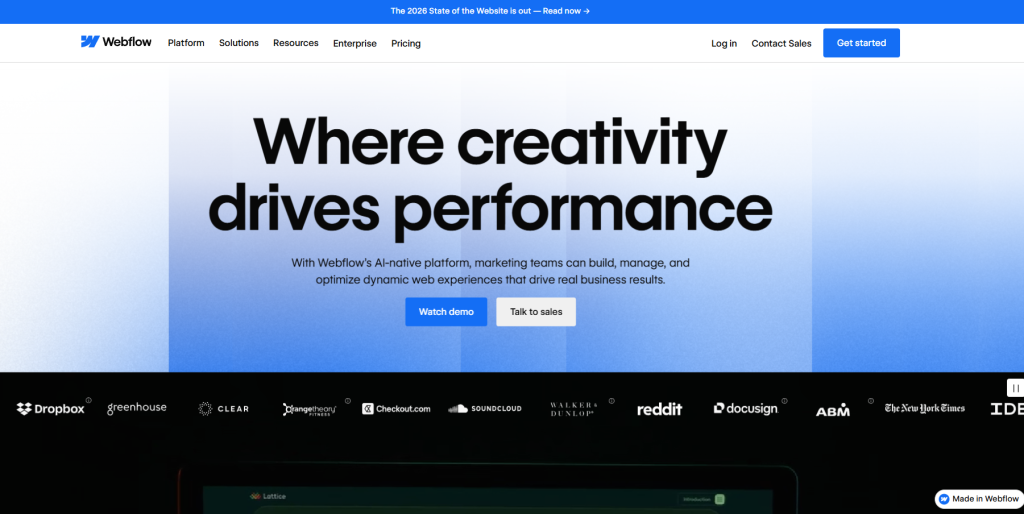
5. Webflow AI Site Builder: Best for Design‑Focused Small Businesses

💰 Starting price: from $14/month (billed annually) for basic site plan.
🎨 Core strength: Unmatched creative control combined with AI‑assisted site generation.
🔧 Ideal for: Small businesses that care deeply about design, branding, and want the option to scale with more technical flexibility.
When your small business demands more than just “plug‑and‑play” but you still want to skip raw code, Webflow AI Site Builder makes a compelling case. Instead of wrestling with plugins or limiting yourself to fixed templates, you begin with an AI‑generated site skeleton (layout, style guide, elements) and then refine freely in Webflow’s full visual editor.
One reviewer noted: “It gets you from zero to a working website in minutes with clean structure, responsive design, and a professional look built into every page.”
Another points out that while the AI generates the initial build, you still need to bring in the branding, strategy and unique touches.
✔️ Pros
- Deep creative control: After the AI creates the foundation, you can customize every aspect—from breakpoints to animations to CSS classes—offering much more flexibility than simpler builders.
- AI speed + professional quality: You skip much of the setup drudge—prompts create layouts, sections, style guides—so you get to editing and branding faster.
- Scalable platform: Built to grow—CMS, e‑commerce, dynamic content, complex workflow support—meaning your small business’s site won’t immediately “outgrow” the platform.
❌ Cons / Things to Watch
- Steeper learning curve: While you don’t need to write code, understanding layout logic, responsive design, and Webflow’s interface takes more effort than ultra‑simple builders.
- AI doesn’t equal full build: The initial AI output may feel generic until you customize it. One user noted: “It was good at first… but the current implementation is not very good.”
- Cost and complexity: Because you’re paying for flexibility and depth, the cost and management overhead may feel higher compared with simpler solutions—especially if your site is very small and static.
- Brand‑distinctiveness risk: As with many AI builders, if you use the default AI outputs without strong branding and customization, your site may end up resembling others.
Pricing Snapshot for Small Businesses
- Entry site plan: ~$14/month (annual billing) with basic features.
- Higher tiers: e‑commerce and advanced CMS plans (up to ~$29/month annual billed, or more) plus workspace/team‑plan upgrades.
- You’ll want to budget for: premium templates (if used), custom integrations, and possibly designer time if you want full polish.
- Because many features are “pro” level, if your site is ultra simple you might be paying for capabilities you won’t yet use.
Bottom Line for Small Businesses
If you’re a small business owner who wants a website that looks exceptional, aligns with your brand, and you’re willing to invest a little time (or budget) to customise, Webflow AI Site Builder is a very strong choice. It bridges the gap between “easy website builder” and “fully custom design”, giving you room to grow without jumping platforms.
However — if your business just needs a simple four‑page brochure site, minimal updates, and your priority is “set it and forget it” with ultra low cost and minimal effort, then a simpler builder may serve you better. Webflow shines when you’re ready for design‑driven, growth‑oriented web presence.
6. CodeDesign.ai: Best AI‑Website Builder for Speed & Flexibility

💰 Starting price: Free plan available, with paid tiers for more features.
🤖 AI website builder: Yes — create a full site from a simple prompt.
🔧 Ideal for: Small business owners who want to launch quickly with AI assistance, yet keep the door open for customization and scaling.
If you’re a small business owner who wants to get online fast — but also wants the option of deeper control and exportable code — CodeDesign.ai makes a compelling choice. Instead of strictly limiting you to drag‑and‑drop blocks, it begins with an AI‑generated website (layout, design, content) created from your prompt. Then you get to fine‑tune it.
You can type something like “I’m a boutique coffee shop in Dhaka” and watch the AI create a site. From there you adjust images, content, refine styles, or even export the code if you want.
✔️ Pros
- Super‑fast initial build: Create a working website in minutes using AI prompts.
- Customization and export friendly: You can move beyond the “starter” site, tweak deeply, and even export code.
- Cost‑flexible starting point: There’s a free plan or low‑entry tier so you can experiment before committing.
- Designed for small businesses and landing pages: Lots of templates tailored to product launches, portfolios, small business sites.
❌ Cons / Things to Watch
- Learning curve if you go custom: While the AI part is easy, to fully customize (or export code) you’ll need more design/tech comfort.
- Feature depth vs premium builders: Some high‑level business features (advanced e‑commerce, large team workflows) may be less robust compared to fully mature platforms.
- Less known brand and ecosystem: Compared to giants in the market, fewer third‑party integrations, smaller community may mean fewer plug‑and‑play add‑ons.
- Dependence on your input quality: Because the AI generates initial content/architecture, if your prompt is vague or brand assets weak, the result may feel generic without further refinement.
Pricing Snapshot for Small Businesses
- Free/entry tier: Use the platform, build limited projects, get a taste of the AI‑site generation.
- Paid tiers: For more pages, more “regenerations”, code export, custom domain, higher usage. For example a listing shows Basic ~ $15/month for 10 pages, Standard ~$29/month for unlimited pages.
- Additional costs to budget: your custom domain (if not included), premium templates/design assets, and possibly developer time if you push into custom code/export mode.
Bottom Line for Small Businesses
If your small business needs a fast, visually acceptable, brand‑oriented website, and you’re comfortable doing a bit of customization or plan to grow, then CodeDesign.ai is a strong and flexible choice. You won’t have to wrestle with hosting, servers, or complex setup — and you’ll retain the option to elevate your site as you grow.
However — if you need something super simple (a basic 3‑page brochure site) and want the lowest possible cost with minimal effort, one of the ultra‑simple drag‑&‑drop builders might suffice. And if you expect a huge store or heavy team workflows from day one, a more mature e‑commerce platform may be better.
If you want to know which AI website builder is best, read a quick guide: Best AI Website Builder
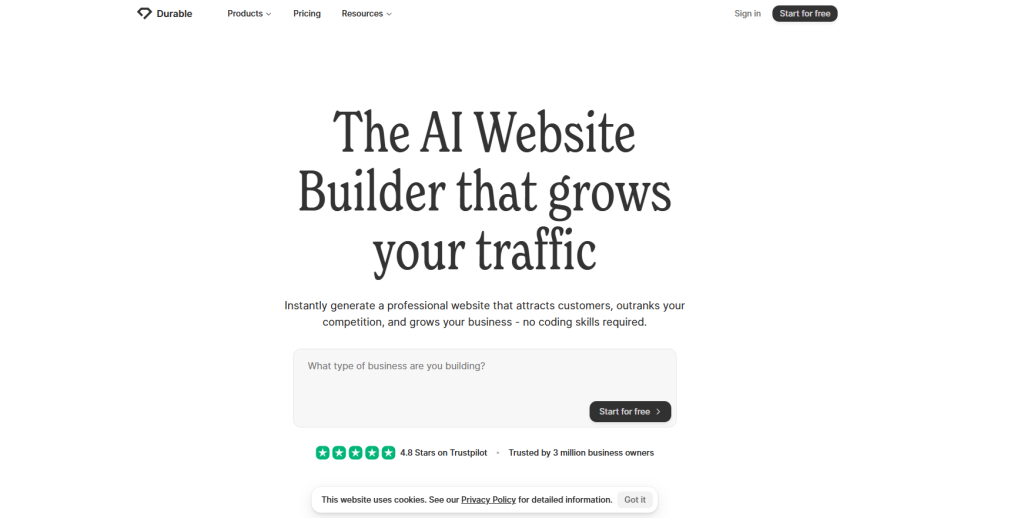
7. Durable AI Website Builder: Best for Fast & Simple Small‑Business Websites

💰 Starting price: from ~$12/month (billed annually) for the Starter plan.
⚡ Built‑in AI website generator: Yes — designed to turn your business idea into a live site in under a minute.
🎯 Target user: Small business owners who want a quick online presence with minimal fuss and minimal technical overhead.
When you’re running a small business and need to get online quickly, without wrestling with hosting, plugins, templates, and endless setup — Durable AI Website Builder stands out. It asks you for a few details about your business, and then it uses AI to generate a website with layout, copy, images, and pages — letting you publish fast.
For someone whose priority is “launch, look professional, skip the deep tech”, this tool fits well. Built‑in features like CRM, invoicing, AI‑marketing tools (in higher tiers) are nice extras for small business use.
✔️ Pros
- Rapid build: A site can be generated in “under 30 seconds” from business details.
- Affordable entry: Starter plan from ~$12/month billed annually, including custom domain, unlimited pages, hosting, SEO basics.
- Small‑business toolset: Beyond just a site, it includes CRM, invoice management, social‑post and ad generators (especially in mid/high tiers) — handy if you wear many hats.
- Minimal tech required: Designed for non‑technical users; you don’t need to worry about code, server, or complex integrations.
❌ Cons / Things to Watch
- Limited customization & integrations: While quick and easy, it doesn’t offer as many design freedoms or third‑party app integrations as full‑scale builders.
- Generic design risk: Because the AI generates quickly, if you don’t spend time customizing branding, you may end up with a site that looks too templated.
- Scale & feature ceiling: If your business grows into e‑commerce with large catalogues, heavy custom logic or advanced workflows, this tool may hit its limit.
- Per‑site pricing nuance: The subscription cost is tied per website/business in many cases — if you run multiple sites you may need higher‑tier plans.
Pricing Snapshot for Small Businesses
- Starter Plan: ~$12/month (annually billed) or ~$15/month monthly — includes custom domain, unlimited pages, stock images, basic business tools.
- Business Plan: ~$20‑25/month (annually billed) — adds features like more team users, advanced business tools (invoicing, CRM contacts), more premium images.
- Mogul/Scale Plan: ~$80‑95/month (annually billed) — supports multiple businesses, custom domains, full feature sets.
- Free tier: Some versions allow you to build & test but published live site and full features need paid plan.
Bottom Line for Small Businesses website builder
If you’re a small business owner looking to get a functional, professional‑looking website up fast, especially when you don’t have the time or skill to dive into complex setups — Durable AI Website Builder is a very strong choice. It covers the essentials: website, domain, hosting, business tools — all in one.
However — if your business is very design‑centric, expects heavy custom integrations, large‑scale e‑commerce or rapid expansion, you may want to check alternatives that offer deeper flexibility. For day‑to‑day small business sites, service listings, portfolios, local operations, Durable helps you skip the overhead and get online.
Here’s a side‑by‑side comparison of the website builders we’ve discussed — tailored specifically for small business use in 2026.
| Builder | Typical Starting Price | Key Features / Strengths | Best Use‑Case for Small Business |
|---|---|---|---|
| Hostinger | ~ $2.49/month (annual billing) for entry plan; premium tiers up to ~$3.29/month. | Extensive drag‑&‑drop editor, large template library, built‑in hosting & marketing tools. Good flexibility. | Small business that wants a broad feature set, strong design options, and maybe an online store in future—but doesn’t need super‑deep custom code. |
| Squarespace | ~ $16/month (annual billing) for basic; up to ~$99/month for advanced. | Designer‑first templates, all‑in‑one hosting + builder, excellent for visual branding. | Small business where appearance and brand feel matter a lot (boutique, creative services, premium product) and you want smooth setup with strong design. |
| Shopify | Starts around $29‑39/month for online store plan; plus transaction fees. | Robust ecommerce‑first platform: product management, payments, extensions, sales tools. | Small business whose website is a store (selling products, inventory, shipping) and expects growth—less suited if you just need a simple brochure site. |
| Webflow | Basic site plan ~ $14/month (annual billing) for simple site; ~$23/month and up for CMS/features. | Strong creative/design control, ability to build more bespoke sites, export code, use CMS — more technical freedom. | Small business that values design flexibility, wants more control, may anticipate growth into dynamic content or custom workflows—not for ultra‑simple needs. |
| Durable AI Website Builder | Starter ~$12‑15/month (annual billing); Business ~$20‑25/month; higher tiers up to ~$95/month for multiple businesses. | AI‑driven site generation: quick setup (layout/content/images), built‑in business tools (CRM, invoices) for small enterprises. | Small business that wants minimal effort to get online fast, perhaps with very limited tech resource—ideal as a fast launch with basic features. |
How We Tested Best Small Business Site Builder
There’s no one‑size‑fits‑all solution when it comes to website builders for small businesses. So rather than forcing each builder into a narrow category, I focused on whether each builder empowered a small business owner to do what they actually need: launch, manage, and grow their website. That means plenty of features, but more importantly, those features are organized in a way you can actually use.
In the testing process, I created a demo small‑business site (for example, a local services business) using each builder: uploading branding assets, building layout, integrating booking or contact forms where applicable, and launching live. I don’t come from a website‑developer background, so if I needed to touch a line of code, that builder got marked down.
Beyond the core build, I concentrated on a few key areas relevant for small businesses in 2026:
- Pricing. Especially for small businesses, budget matters. Many builders offer low promotional pricing for long‑term commitments or hide renewal rates, so I normalized each builder to an annual subscription for fair comparison.
- Scalability. As your business grows, your website must be able to keep up. Every service I selected offers a path to expand—whether via extra features/plugins or exportability of your site.
- Uptime & bandwidth. Your website is part of your business, and downtime or slow load times cost you. I examined the builder’s hosting performance/track record as well as my own live‑test observations.
- Ease of use. You’re using a website builder because you don’t want to become a webmaster. So the core test: can you launch and manage without getting stuck?
- Support. No matter how good your builder is, things will go wrong: hosting hiccups, page errors, and integrations misbehaving. So I evaluated both direct support (chat/email) and self‑help resources for each builder.
Conclusions: Final Recommendation
-
Budget tight + need a full site fast → Go with Hostinger.
-
Need something very simple, clean, and functional → Consider Hosting.com.
-
Want your site to look premium and brand‑forward → Choose Squarespace.
All three support small business needs in 2026—there’s no perfect one‑size‑fits‑all—but by aligning with your priorities (cost, speed, design), you’ll pick the right builder for your business.

I’m a Webflow Developer specializing in HTML, CSS, JavaScript, React, Node.js, Express, Redux, Python, and SQL – creating clean, high-performing, and SEO-friendly web apps.