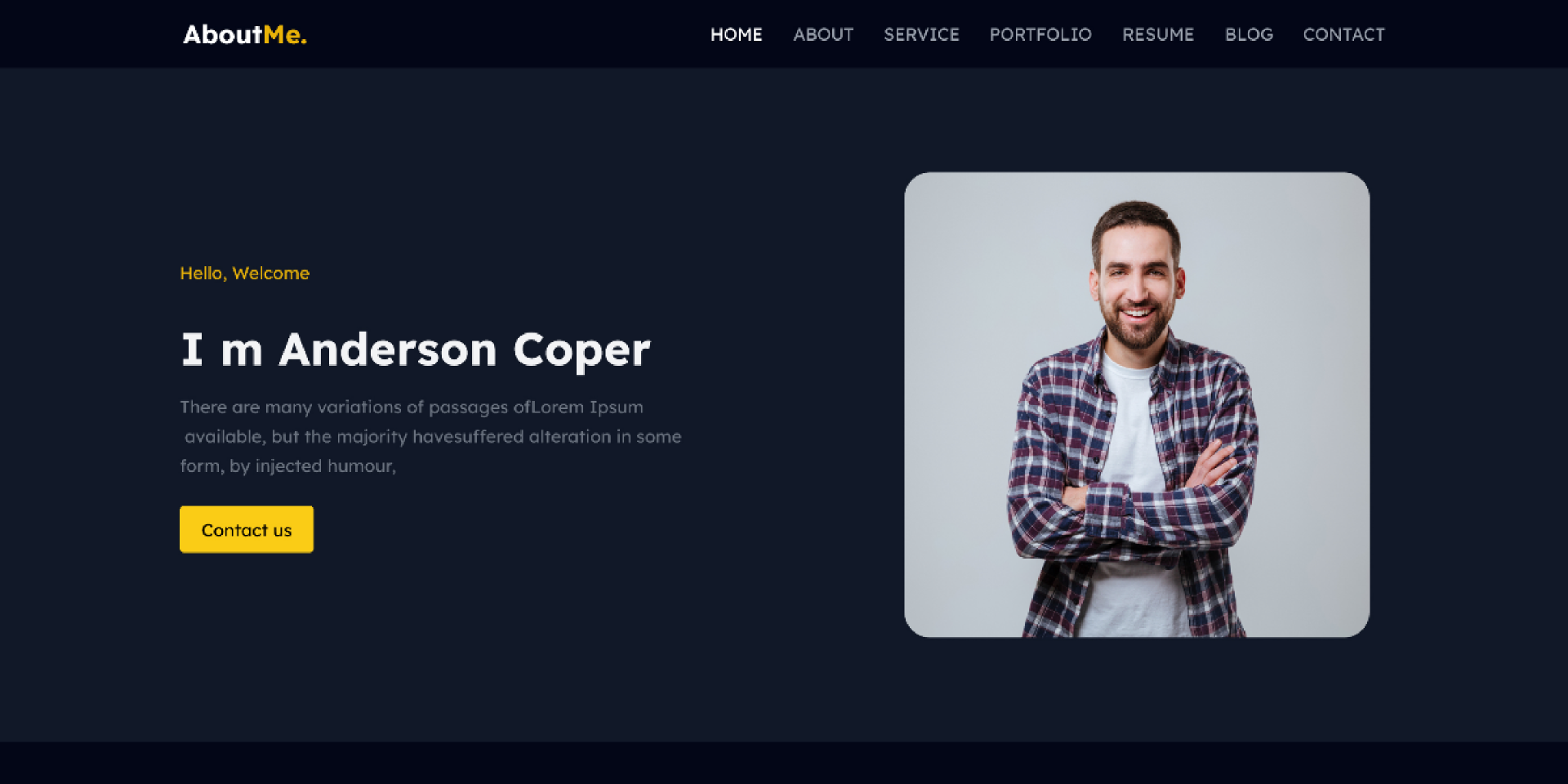
Welcome! Have you ever thought about showing off your amazing work to people all over the world? What do you know? The best way to do that is with a portfolio website. It’s rather like having your own cool web space to show off your best stuff. Imagine it as a stage where you can show off all your great work, crazy skills, and big wins. A portfolio website can help you get noticed and stand out, whether you’re into writing, art, design, or just about anything else. The best part? Someone who might hire you or a client can look at your work at any time, day or night. That’s pretty cool, right?
“Building a website? Really?” I know what you’re thinking. “That sounds like a pain!” But don’t worry! This guide will help you. We will explain it in simple, easy-to-understand language step by step. We’ll talk about everything, from making plans for your site to putting it online.
When you’re done reading, you’ll know everything you need to know to make your own portfolio website. Are you ready to show the world your work? Let’s start the show!
What is a Portfolio Website?
A portfolio website is a place on the internet where you can show off your work, skills, and achievements. You can create an online profile that resembles a resume, showcasing additional details and samples of your work. Portfolio websites are beneficial for artists, writers, designers, photographers, and many other professionals who want to display their talents to potential clients or employers.
Why You Need a Portfolio Website
Having a portfolio website is important for several reasons.
- It helps you stand out: With your own website, you can show what makes you special and different from others in your field.
- It’s always available: People can look at your work anytime, from anywhere in the world.
- You control how your work is presented: You decide how to show your projects and skills in the best way possible.
- It shows you’re serious about your work: Having a well-made website tells others that you take your career seriously.
- It can help you get jobs or clients: Many employers and clients look at portfolios when deciding who to hire.
Steps to Create Your Portfolio Website
Now, let’s walk through the steps to create your own portfolio website.
1. Plan Your Website

Before you start building, it’s important to plan what you want your website to look like and what information you want to include. Here are some things to think about:
- What pages do you want on your website? (For example: Home, About, Projects, Contact)
- What kind of work do you want to show?
- What information do you want to share about yourself?
- What style or design do you want for your website?
Take some time to look at other portfolio websites in your field. This can give you ideas for your own site.
2. Choose a Domain Name and Hosting

Your domain name is your website’s address on the internet. It’s what people type into their web browser to find your site. Try to choose a domain name that’s easy to remember and spell. Many people use their own name (like johndoe.com) or something related to their work.Hosting is the online storage of your website’s files. There are many companies that offer both domain names and hosting. Some popular options include:
- GoDaddy
- Bluehost
- HostGator
- Namecheap
When choosing a hosting plan, think about how much storage you need and how many visitors you expect to have.
3. Decide How to Build Your Website

There are several ways to build a website. The method you choose depends on your skills, time, and budget:
- Use a website builder: This is the easiest option if you’re not familiar with coding. Website builders like Wix, Squarespace, or WordPress.com offer templates and drag-and-drop tools to create your site.
- Use a content management system (CMS): Platforms like WordPress.org (different from WordPress.com) give you more control and flexibility, but they require a bit more technical knowledge.
- Code it yourself: If you know HTML, CSS, and maybe some JavaScript, you can build your site from scratch. This gives you complete control but takes more time and skill.
For most people starting out, using a website builder or a CMS like WordPress is the best choice.
4. Choose a Design or Theme
Your website’s design is the first thing visitors see. If you’re using a website builder or CMS, you can choose from many pre-made designs (often called themes or templates). When picking a design, think about:
- Does it fit your style and the type of work you do?
- Is it simple to read and navigate?
- Does it look appealing on both computers and phones?
- Can you customize it to fit your needs?
Remember, you can usually change colors, fonts, and layouts to make the design your own.
5. Create Your Pages
Most portfolio websites have these basic pages:
- Home Page: This is the first page visitors see. It should give a quick overview of who you are and what you do.
- About PageThe About Page allows you to share more about yourself, your background, and your skills.
- Portfolio/Projects Page: This is where you show examples of your work. You might have one page for all your projects or separate pages for different types of work.
- Contact Page: Make it easy for people to get in touch with you. Include your email address and any other ways people can contact you (like social media profiles).
When creating these pages:
- Use clear, simple language to describe yourself and your work.
- Include high-quality images of your projects.
- Make sure your contact information is easy to find.
- Use headings and short paragraphs to make your text easy to read.
6. Add Your Content
Now it’s time to add your work to your portfolio. Here are some tips:
- Choose your best work: Quality is more important than quantity. Select projects that demonstrate your skills and align with your desired type of work.
- Describe your projects: For each piece of work, explain what it is, why you made it, and what skills you used. If the project was for a client, you could discuss the outcomes, such as how it benefited their business.
- Use high quality images: Make sure your photos or screenshots are clear and show your work well.
- Organize your work: If you have many projects, consider grouping them by type or putting your best work first.
- Keep it up to date: Add new projects as you complete them and remove older ones that don’t represent your current skills.
7. Make Your Website Easy to Use
A good website is easy for visitors to use. Here are some ways to make your site user-friendly:
- Use a clear menu: Make it easy for people to find different parts of your website.
- Make sure your site works on phones: Many people will look at your site on their phones, so it needs to look good on small screens.
- Use readable fonts: Choose fonts that are easy to read, and make sure the text is big enough.
- Have a consistent style: Use the same colors, fonts, and layout style across all your pages.
- Make it fast: Large images can make your site slow. Use tools to make your images smaller without losing quality.
8. Add Ways for People to Contact You
Make it easy for potential clients or employers to get in touch. You could:
- Add a contact form to your website.
- Include your email address.
- Link to your professional social media profiles (like LinkedIn).
- If you’re comfortable, you could include your phone number.
9. Make Your Website Search Engine Friendly
You want people to be able to find your website when they search online. This is called Search Engine Optimization (SEO). Here are some simple SEO tips:
- Use descriptive titles for your pages (like “John Doe – Graphic Designer Portfolio”).
- Write excellent descriptions of your work and skills.
- Use relevant keywords naturally in your text.
- Add alt text to images (descriptions that explain what the image shows).
10. Test Your Website
Before you share your website with the world, test it to make sure everything works:
- Check all your links to make sure they go to the right places.
- Look at your site on different devices (computer, phone, tablet) to make sure it looks appealing on all screens.
- Ask friends or family to look at your site and give you feedback.
- Make sure all your project images and descriptions are correct.
11. Launch Your Website
Once you’re pleased with your website, it’s time to make it live! If you’re using a website builder, this might be as simple as clicking a “Publish” button. If you’re using WordPress or coding your own site, you’ll need to upload your files to your hosting service.
12. Share Your Website
Once your site goes live, spread the word about it.
- Add your website address to your resume and job applications.
- Share it on your social media profiles.
- Include it in your email signature.
- Tell your professional contacts about your new portfolio site.
13. Keep Your Website Updated
A portfolio website is not something you create once and forget about. To keep it useful:
- Add new projects as you complete them.
- Update your information if anything changes (like your skills or contact details).
- Remove old projects that don’t show your current skills.
- Check regularly to make sure everything on your site still works correctly.
Tips for a Great Portfolio Website
Here are some extra tips to make your portfolio website even better:
- Tell a story: Don’t just list your work. Explain the problems you solved or the goals you achieved with each project.
- Show your personality: Let your unique style come through in your design and writing.
- Include testimonials: If you have good feedback from clients or employers, include it on your site.
- Make it easy to download your resume: If you’re looking for jobs, make it easy for employers to get your resume.
- Blog about your work: Writing about your projects or industry can show your knowledge and passion.
- Use analytics: Tools like Google Analytics can help you see how many people visit your site and what they look at.
- Be honest: Only show work that you actually did. Don’t claim credit for things you didn’t do.
- Proofread everything: Spelling mistakes or grammar errors can make a bad impression.
- Consider your privacy: Think carefully about what personal information you want to share online.
- Make it accessible: Make sure people with disabilities, such as those who use screen readers, can use your website.
Common Mistakes to Avoid
When creating your portfolio website, try to avoid these common mistakes:
- Too much information: Don’t overwhelm visitors with too much text or too many projects.
- Outdated information: Make sure all the information on your site is current.
- Slow loading times: Large files can make your site slow. Optimize your images and videos.
- No clear focus: Provide clear information about your services or work.
- Hard to navigate: Don’t make visitors hunt for important information.
- No call to action: Make it clear what you want visitors to do (contact you, hire you, etc.).
- Not mobile-friendly: Many people will view your site on phones, so it needs to work well on small screens.
- Copying others too closely: It’s okay to get ideas from other sites, but make sure your site is uniquely yours.
- No context for your work: Explain your role in each project and what you achieved.
- Ignoring SEO: Use good titles and descriptions to help people find your site in search engines.
Conclusion
Creating a portfolio website takes time and effort, but it’s a valuable tool for showcasing your work and advancing your career. Remember, your website is often potential clients’ or employers’ first impression, so do it well. Start by planning your site carefully, choose a method of building it that fits your skills, and focus on presenting your best work clearly and professionally. Keep your site updated with your latest projects and make sure it’s simple for visitors to use and understand.With a well-made portfolio website, you’ll have a powerful way to show the world what you can do. It can lead to new opportunities and make you stand out in your field. So take your time, put thought into every aspect of your site, and create a portfolio that truly represents your skills and achievements. Remember, your portfolio website is a reflection of you and your work. Make it something you’re proud to share!

I’m a Webflow Developer specializing in HTML, CSS, JavaScript, React, Node.js, Express, Redux, Python, and SQL – creating clean, high-performing, and SEO-friendly web apps.