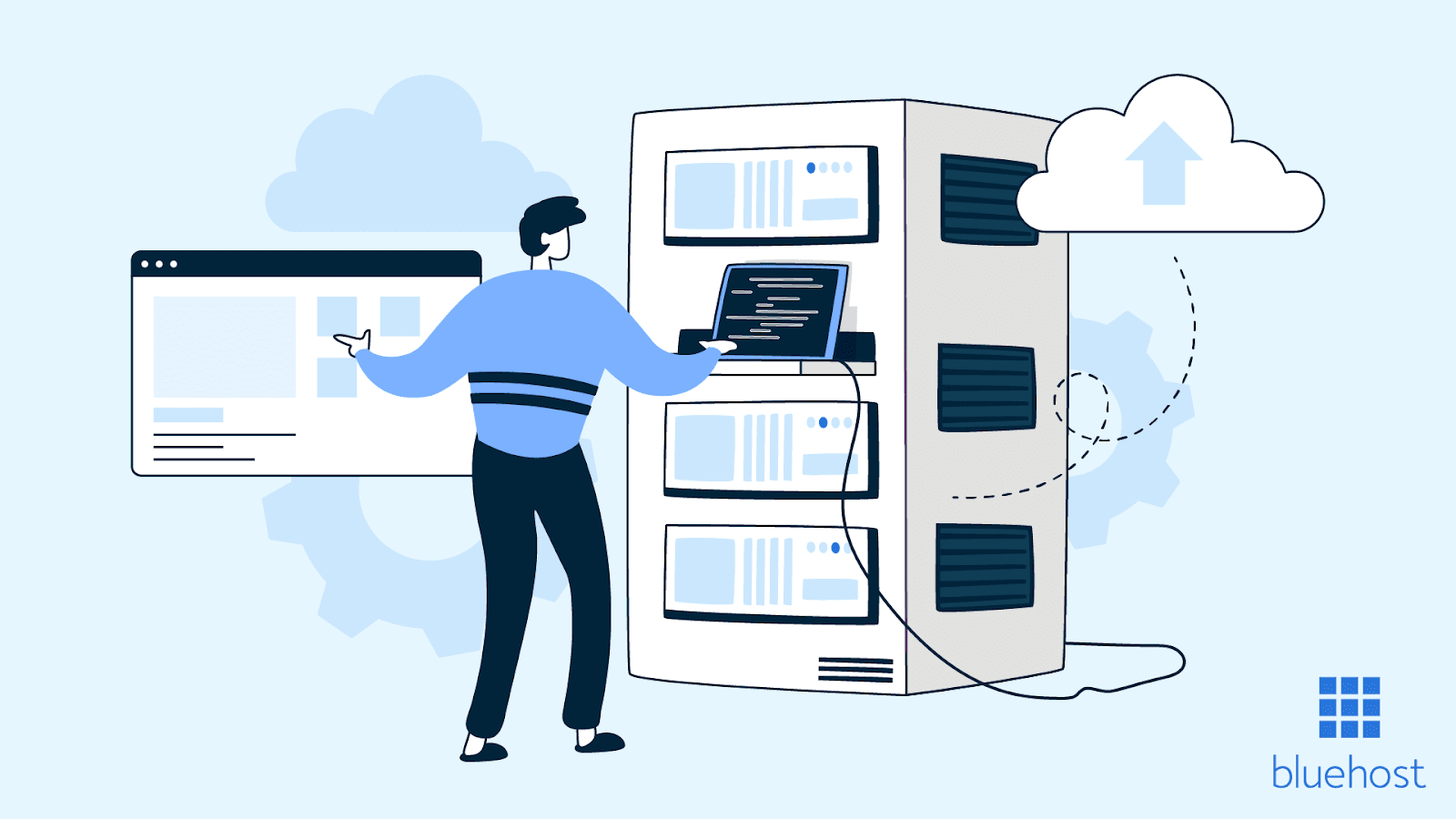
Not sure what the difference is between a website builder and web hosting? It’s actually pretty simple.
Think of it this way:
A Website Builder (like Wix or Squarespace) is like buying a pre-built house in a planned community. Everything is included in one package: the design tools, the templates, and the land (hosting). You pay one fee ($4–$159+ per month), and you can start decorating right away without any complicated setup. It’s easy, but you’re limited to the neighborhood’s rules.
Web Hosting is like buying an empty lot of land. All it gives you is the server space — the foundation — for a lower price ($3–$300+ per month). You have to build the house yourself. This means you must install and manage everything from the start, like adding tools such as WordPress, choosing themes, and installing plugins for your features. It’s more work, but you get total freedom.
Ready to see which option is right for you? Let’s jump into the details!
Website Builders vs. Hosting: What’s the Real Difference?
It can be confusing to choose between a website builder and hosting, but the difference is simple.
A Website Builder is an all-in-one package that combines everything you need: design tools, ready-made templates, and a place to put your site (hosting). They use drag-and-drop editors and cost between $4 and $159+ per month. You can build a site without knowing any computer code.
Web Hosting, on the other hand, is just the server space — a piece of internet land where your website lives. It costs less, starting around $3 up to $300+ per month, but it doesn’t include any design tools or templates.
With hosting, you have to do the building yourself. This means you must install software like WordPress, get your own design, and handle important technical stuff like security updates and backups.
Hosting plans vary a lot in price, from the cheap Shared hosting (starting at $3/month) to expensive Dedicated servers ($90–$300+/month). Make sure you compare options like cloud and shared hosting to find what you need.
Full Showdown: Builders vs. Hosting
When you look at the details, the choice between a Website Builder and Web Hosting comes down to time, money, and technical know-how.
Getting Started: Time and Effort ⏱️
| Feature | Website Builder (Easy) | Web Hosting (More Work) |
| Setup Time | You can launch your site in minutes (10 minutes to 2 hours) using pre-made templates and AI-powered site builder. | It takes hours (2–8 hours) just to set up WordPress and get everything configured. |
| Technical Skills | Zero coding required. You use visual, drag-and-drop tools. | You need basic to advanced skills for things like server management and keeping your software secure. |
| Hosting | It’s included automatically in your monthly fee. | You must buy it and set it up separately. |
| Updates & Security | All updates, security, and backups are handled automatically for you. | You are responsible for doing manual updates, buying security certificates (SSL), and managing backups yourself. |
Cost and Customization 💰
| Feature | Website Builder (One Price) | Web Hosting (Variable Price) |
| Monthly Cost | You pay one all-inclusive price, usually $4 to $159 per month (like Squarespace or Wix). | The server space alone is $3 to $300+ per month, plus you have to pay extra for your domain name and sometimes security features (SSL). |
| Customization | It’s limited to the templates and tools the platform gives you. You can’t mess with the code much. | You get full code access and can customize absolutely everything on your site. |
| Templates | You get hundreds of free, built-in templates to start with. | No templates are included; you have to buy a theme or build one yourself. |
| Plugins | You are limited to the platform’s app store (like Wix’s 900+ apps). | You have unlimited options (like WordPress’s 60,000+ plugins). |
Who Should Use What?
- Website Builders are best for: Beginners, people with limited budgets, small businesses, and anyone needing a quick launch for a simple portfolio.
- Web Hosting is best for: Developers, experts, high-traffic websites, or anyone who needs total control for a very customized or large business site.
Let’s dive into the Key Practical Advantages & Disadvantages of Each so you can make a final call!
Key Upsides and Downsides of Each Choice
When you decide between a builder and hosting, you’re choosing between ease-of-use and total control.
Getting Your Site Live (Speed & Time) 🚀
| Advantage/Disadvantage | Website Builders (Fast & Simple) | Web Hosting (Slow & Complex) |
| Speed to Launch | You can launch your whole site in 1 to 2 weeks because you use ready-made templates. No technical setup needed. | Getting the basic system set up (like WordPress) takes 2–8 hours. Building a complex, custom site can take many weeks of coding and development. |
Behind-the-Scenes Work (Management) 🛠️
| Advantage/Disadvantage | Website Builders (Hands-Off) | Web Hosting (Hands-On) |
| Infrastructure Management | Everything is automatic: security (SSL), backups, protecting against attacks (DDoS). The platform handles it all, and you don’t have to touch it. | You must do the work manually: setting up security updates, scheduling backups, monitoring the server, and configuring firewalls. This needs technical skill. |
Adding Features (Assembly & Plugins) 🧩
| Advantage/Disadvantage | Website Builders (Built-In) | Web Hosting (Unlimited Choice) |
| Feature Assembly | Essential tools for SEO, online sales (eCommerce), and contact forms are built-in and ready to use right away. | You have to install tools individually. For every feature you want, you need to find and install a separate plugin (like a WordPress plugin) and make sure they all work together. |
| Extension Ecosystem | Your tools are limited to the platform’s app store (Wix has about 900 apps). You can only use what the builder supports. | You get unlimited options! With systems like WordPress, you have access to over 60,000 plugins, giving you freedom to add any feature or custom solution you can imagine. |
Speed, Cost, and Control: The Advanced Differences
This last section looks at the biggest trade-offs between the two options: how fast your site runs, how much you pay as you grow, and who owns the keys to your site.
Site Speed and Performance 🚀
| Factor | Website Builders (Simple Speed) | Web Hosting (Custom Speed) |
| Performance Optimization | Your site speed is managed automatically with standard features like caching and automatic image compression. It’s easy, but you have limited ability to customize how fast it runs. | You can install advanced tools (like Redis or Varnish) and choose faster storage types (NVMe). You get full control to fine-tune your server for the fastest speed possible. |
Growing Your Site (Scaling and Cost) 📈
| Factor | Website Builders (Fixed Cost) | Web Hosting (Pay as You Grow) |
| Scaling Economics | You pay a fixed price regardless of how much traffic you get. Costs are predictable (up to $159+/month), but you might overpay when traffic is low or your site might feel slow when traffic is very high. | The cost typically matches your traffic. You might pay $4/month for 1,000 visitors, but $300/month if you get half a million. Your resource costs match your actual needs. |
Freedom and Reliability 🔑
| Factor | Website Builders (Locked In) | Web Hosting (Full Freedom) |
| Platform Independence | You are locked to the builder. If you want to move to another platform, you must rebuild your site completely from scratch. | You can easily export your files and switch hosting providers in a few hours. You maintain full ownership and never have to rebuild your whole site to move. |
| Technical Capabilities | No code access and you can only use features approved by the platform. You are restricted to their built-in apps. | You get complete server control. You can use advanced programming languages (like Python or Node.js) and build complex custom systems and integrations. |
| Uptime & Reliability | The provider guarantees 99.9% uptime and handles all technical fixes, load balancing, and backups automatically. Reliability is managed for you. | You are responsible for setting up your own monitoring tools and systems to keep the site online. Uptime is your job or the job of your development team. |
How Much Does a Website Really Cost?
The price difference is the clearest way to choose. Do you want one simple bill or many small bills you have to manage?
A Website Builder costs $4 to $159+ per month and includes everything: the hosting, the templates, and the tools. It’s an all-inclusive price.
Web Hosting costs $3 to $300+ per month for the server space alone. You must pay extra for your domain name ($10–$20 per year), security (SSL), designs (themes), and any extra features (plugins).
Website Builder Prices (The Simple Way) 💰
| Platform | Starts At | Best for Growing Business | What’s Included? |
| Wix | $16/mo (Light) | Up to $159/mo (Business Elite) | Hosting, automatic security, 900+ templates. Note: They charge a small fee (2.9% + 30¢) for online sales. |
| Squarespace | $16/mo (Basic) | Up to $99/mo (Advanced) | Hosting, unlimited storage, great designs. They charge a small fee for sales, which gets lower on bigger plans. |
| Dorik | $18/mo (Personal) | Up to $149/mo (Agency) | Unlimited storage and bandwidth. Zero fees on your online sales through Stripe/PayPal. |
The Good News: All builder plans include hosting, security (SSL), automatic updates, and support. You just need to budget for your domain name ($10–$20 a year).
Web Hosting Prices (The A La Carte Way) 🧱
| Hosting Type | Who It’s For | Starts At | Max Price | Key Difference |
| Shared Hosting | Personal blogs, very small sites (less than 10K visitors/month). | $3–$15/mo | — | You share a big server with many other sites. |
| VPS Hosting | Growing businesses (up to 100K visitors). | $4–$20/mo | Up to $100+/mo | You get your own dedicated part of a server—faster and more reliable. |
| Dedicated Hosting | Large companies, high-traffic sites (500K+ visitors). | $90–$150/mo | Up to $300+/mo | You get an entire physical server just for your site—maximum power. |
The Hidden Costs: With hosting, you need to add money for:
- Domain: ($10–$20 per year)
- Security (SSL): ($0–$50 per year)
- Designs (Themes): ($30–$100 one-time)
- Premium Tools (Plugins): ($50–$300 per year)
- Managed Backups/Security: (Often $10–$50 per month)
The Bottom Line on Cost
- Builder Example: A high-end plan like Squarespace Advanced is $99/month, and that’s your final bill (plus the domain).
- Hosting Example: A good mid-range setup using VPS Hosting might cost you about $45 a month total once you add in themes and essential plugins. If you grow to a massive scale, your hosting bill could easily climb to $230+ per month.
When Should You Pick a Website Builder vs. Hosting?
The decision is simple: Choose a Website Builder if you need to launch fast, hate coding, and want one fixed, low price ($4–$159/month). Choose Web Hosting if you need total freedom, want every possible feature (like the 60,000+ WordPress plugins), and want costs that match your growth ($4–$300+/month).
When to Choose What? (The Checklist) ✅
| You Should Choose a Website Builder When: | You Should Choose Web Hosting When: |
| You need your site live in 1 to 2 weeks. | You can wait several weeks to get the final site launched. |
| You have zero coding knowledge and no tech help. | You are comfortable managing software (like WordPress) and servers. |
| You want a fixed monthly bill ($4–$159). | You can handle a variable monthly bill ($4–$300+) plus extra costs. |
| You expect under 50,000 monthly visitors. | You expect over 50,000 visitors and need maximum speed. |
| You only need to change colors, fonts, and simple layouts. | You need to use custom code or unique integrations. |
| You are okay with the platform managing everything for you. | You need full access to the server settings and files. |
Real-Life Examples: What’s Best For You? 🏠
Website Builders are Best For:
- Small Business Launch: Perfect for local shops, service providers, or startups. You can get a professional site with built-in reservation systems in just a couple of weeks for only $4–$39 a month.
- Personal Portfolios: Great for designers, photographers, and freelancers. You can easily create photo galleries and update your projects without any technical knowledge.
- Quick Product Testing: Ideal for new product ideas or landing pages. You can quickly test a business idea and collect sign-ups before spending money on custom coding.
Web Hosting is Best For:
- High-Volume Online Stores: Necessary if you have 500+ products or need special tools for shipping and inventory. You’ll use powerful VPS hosting ($30–$100/month) to handle hundreds of thousands of monthly visitors.
- Large Content Sites: Essential for news sites, video platforms, or big directories. You need dedicated servers ($150–$300/month) and custom speed tools to handle over a million pageviews monthly.
- Custom Software (SaaS): Required if you are building a unique tool (like a project management app). You need total control over the server to use complex programming and custom database designs.
- Agencies with Many Clients: Allows agencies to manage 10 to 50+ client sites efficiently from one powerful VPS server ($30–$60/month).
Frequently Asked Questions (FAQs)
Can I switch from a website builder to hosting later?
Yes, you can, but it’s tricky. Moving your site from a builder like Wix or Squarespace is usually impossible because they use their own special computer code. This means you will have to completely rebuild your site from scratch on the new hosting service.
However, if you use a builder that is based on WordPress, you can usually export your files and easily move the site to a new hosting provider.
Which option is better for SEO (Google Rankings)? 🔎
Neither option is automatically better. What matters most is the quality of your content, the structure of your site, and how fast your pages load.
- Hosting with WordPress gives you more control over advanced technical settings that help with SEO, like customizing redirects or optimizing the server speed.
- Website Builders include basic, easy-to-use SEO tools for things like headlines and image descriptions, but they often block you from changing complex settings.
What happens to my website if I stop paying for a builder? 🛑
Your website will go offline immediately when you stop paying the monthly fee.
You will also lose access to the editor, and some companies will delete all your stored site data after 30 to 90 days.
Always export your content regularly or move your site to a different hosting service before canceling your plan to make sure you don’t lose everything forever.
Website Builders vs. WordPress Hosting: What’s the difference?
This is the big choice! The difference is simplicity versus control.
| Feature | Website Builders (Simple) | WordPress Hosting (Control) |
| Setup | 1–2 weeks max. Drag-and-drop editor, hosting, and updates are all automatic. | 8–20 hours just for initial setup (installing software, etc.). You manage the plugins and updates yourself. |
| Features | Limited to the platform’s built-in tools. | You can use over 60,000 plugins, giving you unlimited customization and features. |
| Best For | Speed and simplicity (beginners, quick projects). | Advanced features and scalability (growing businesses). |
How do I move my website from one company to another?
Moving a website is a technical job that involves several steps.
- Download Everything: You have to download all your website files (using a tool like FTP) and export your database (using tools like phpMyAdmin).
- Upload to the New Host: You upload those files and databases to your new server.
- Connect the Dots: You update special configuration files to tell the new website where the new database is located.
- Change the Address: You tell your domain name (like
yourwebsite.com) to point to the new server’s address (IP address). - Check Everything: Before you cancel the old host, you must check that every page, image, and feature works perfectly on the new server.
This usually requires basic technical knowledge or hiring a professional.
Which option offers better customer support?
It depends on what kind of help you need.
- Website Builders are best for guided help. They offer 24/7 support for things specific to their platform, like how to change a template, use a feature, or fix a billing issue.
- Hosting Providers are best for technical problems. They give support for server issues, setting up email, installing security certificates (SSL), and fixing database problems.
- Managed Hosting (the most expensive type of hosting) gives you expert help with advanced tasks like moving your site, speeding it up, and managing security.
Choose the builder if you need help with design, and choose the host if you need help with server technology.